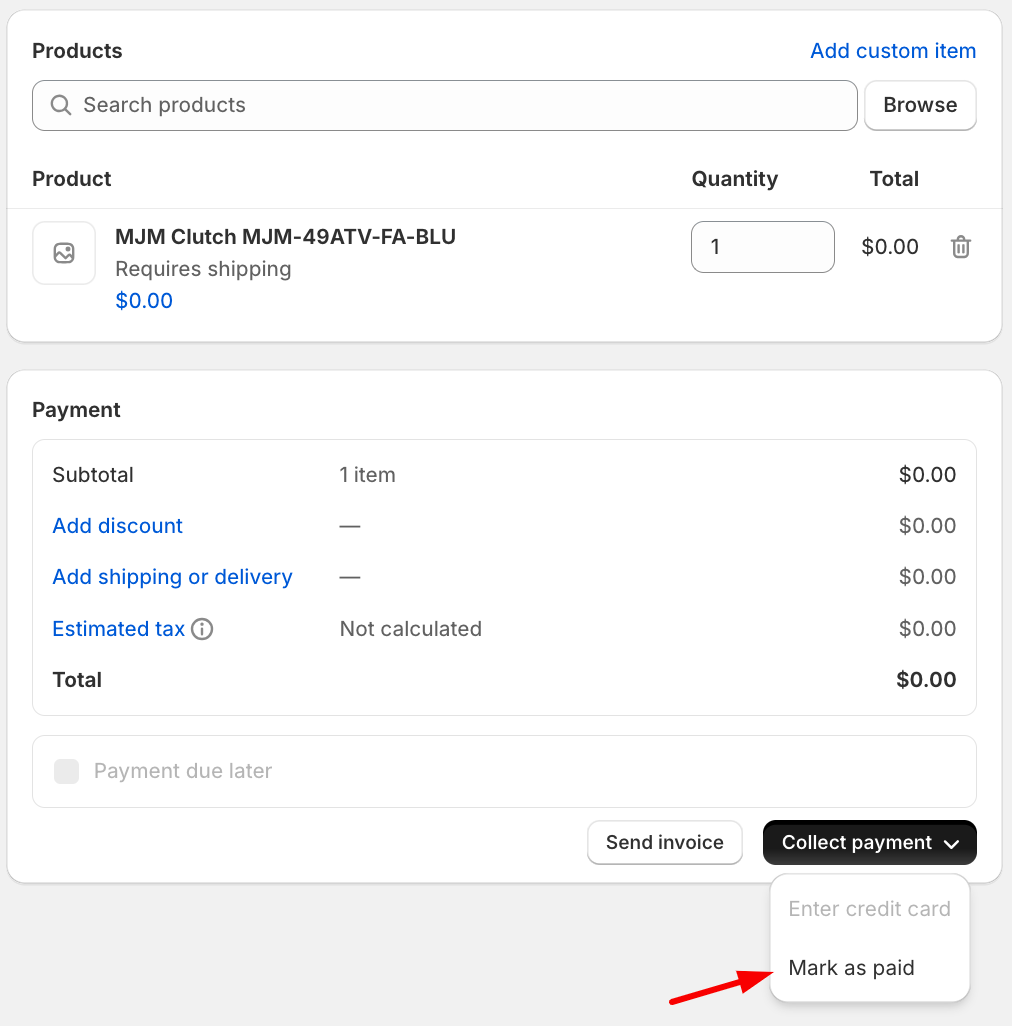
Go to your store’s Shopify account and from the Menu options go to Orders and choose Drafts. After that, click the Create Order button on the top left-hand side of your screen.

Click Add Custom Item
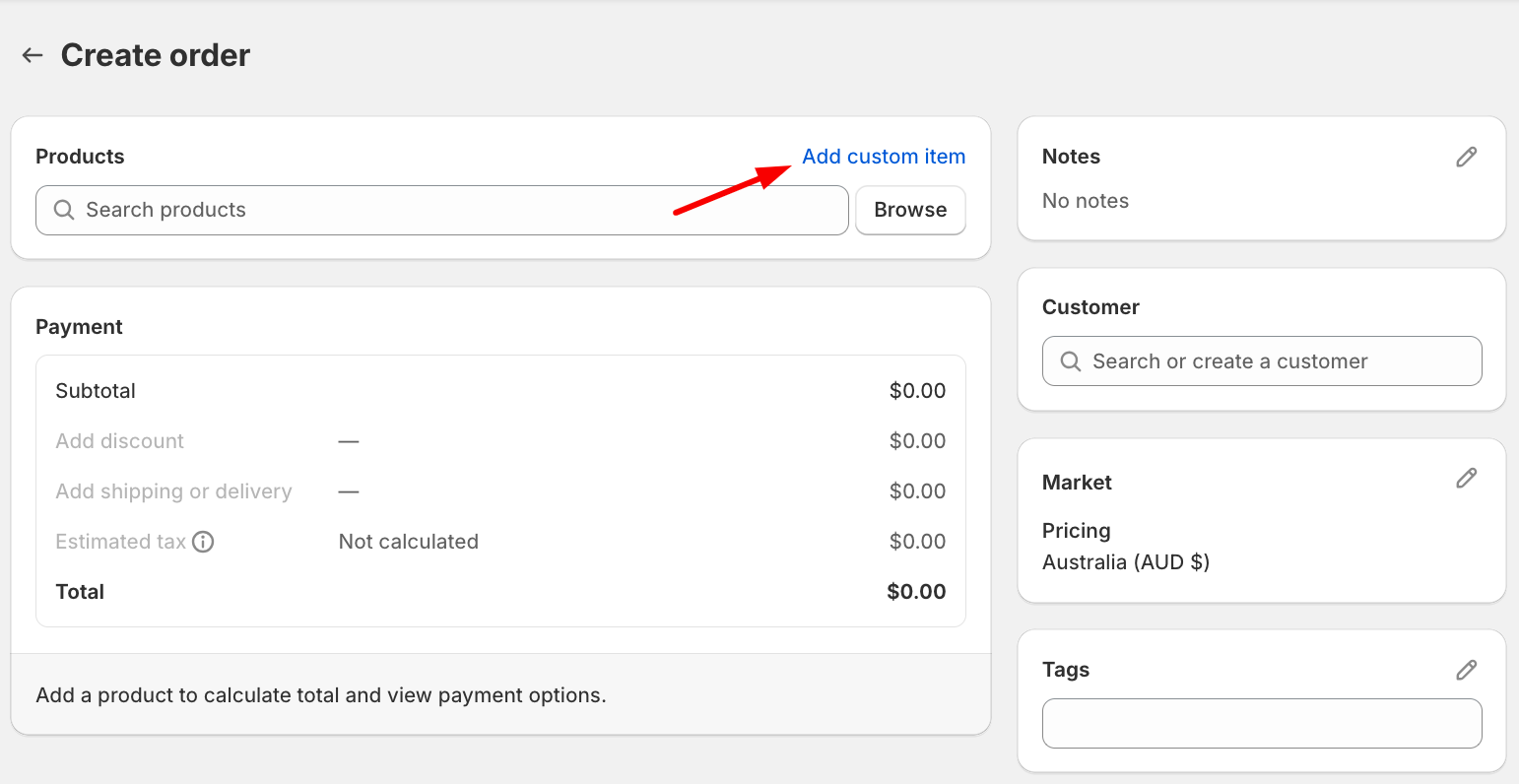
Add the spare part name and the SKU and the spare part price.
Custom Name Format: [Supplier Name] [Spare Part Name] [SKU]
Important Note: If the spare part replacement is out of warranty, there’s no need to create a Draft. Tag sales so to create the draft, add the markup and send the invoice (considered as a sale)
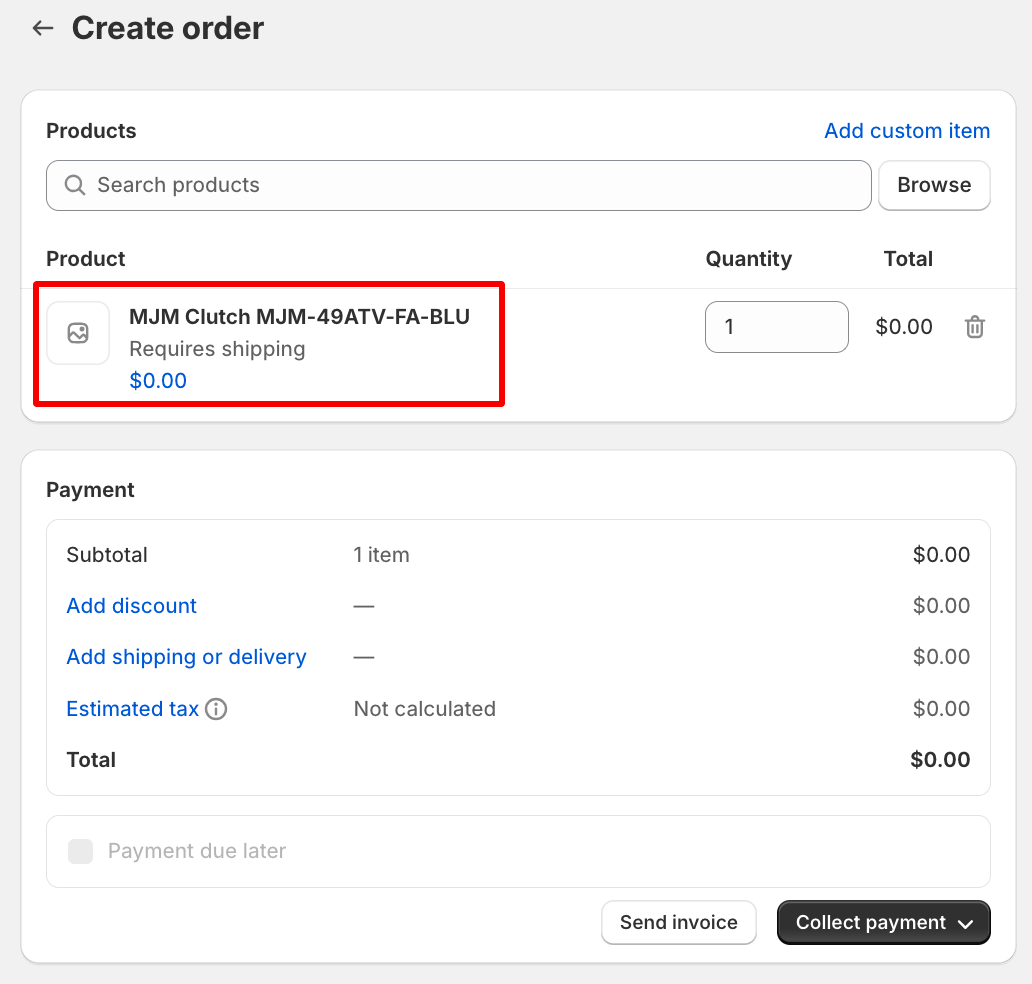
Click Add Discount. Choose Percentage and enter a 100% discount for spare parts that are covered under warranty / no cost. Click Apply.
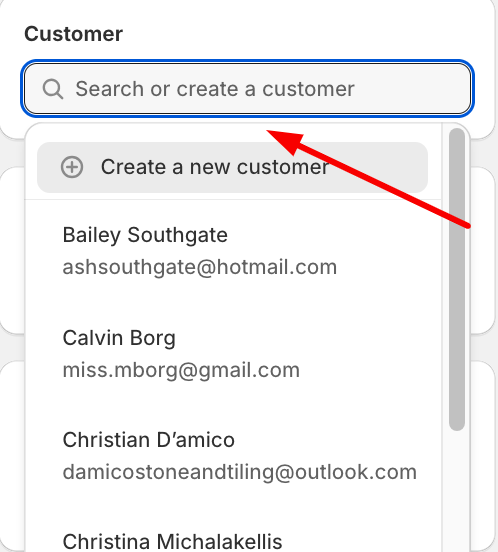
Enter the customer details / search for the existing customer’s name.
Add the original reference order number to the tag section of the draft. Add the tag "Exclude" so the customer is certainly not followed up by Klaviyo. This step is required.
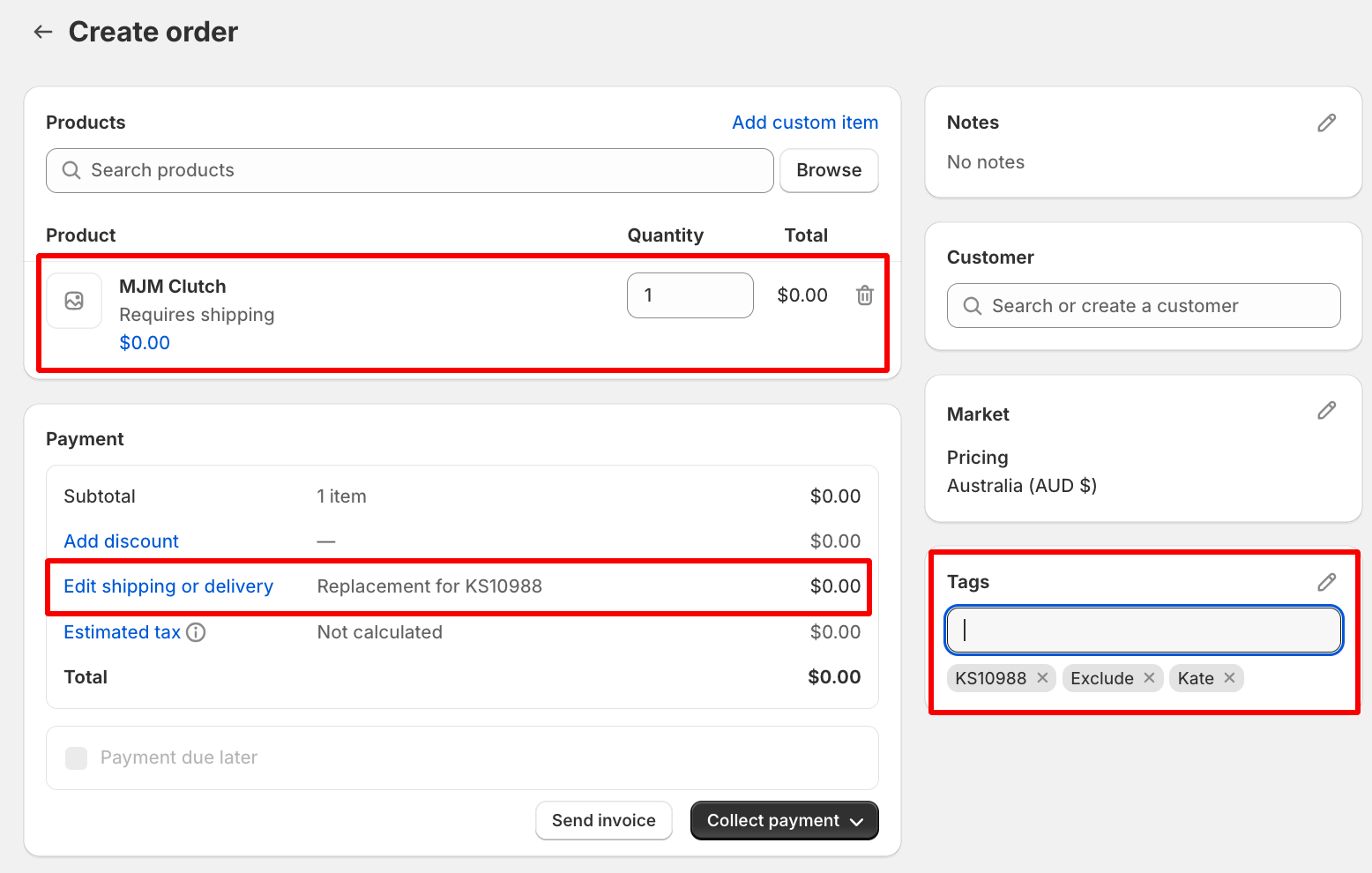
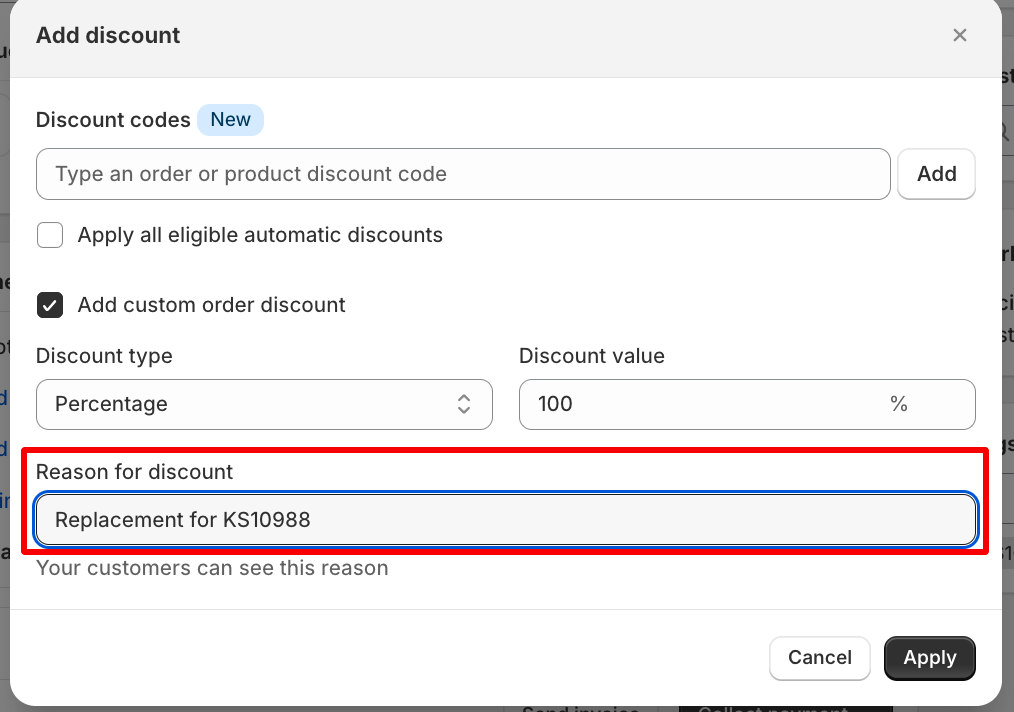
Mark the order as Paid if the customer doesn’t need to pay for the replacement part under warranty/faulty.
This will generate an order number which is ready for processing/dispatch according to the availability of the item.